Ledger Admin Operational Guide
Admin Roles
The roles that Admin Users have.
Related Walkthroughs:
Super Admin
These will be the developers of Ledger.
Organisation Admin
Can view the scope of a single Organisation, and all data in it. Is able to change Devices, Device Codes and Organisation Vocabulary.
Reseller Admin
Monitors Organisation billing information, and only has access to Organisations and Billing.
Dashboard
Used for tracking Orders as sorted by Event Groups, including their progress and gaps in scanning.
Overview
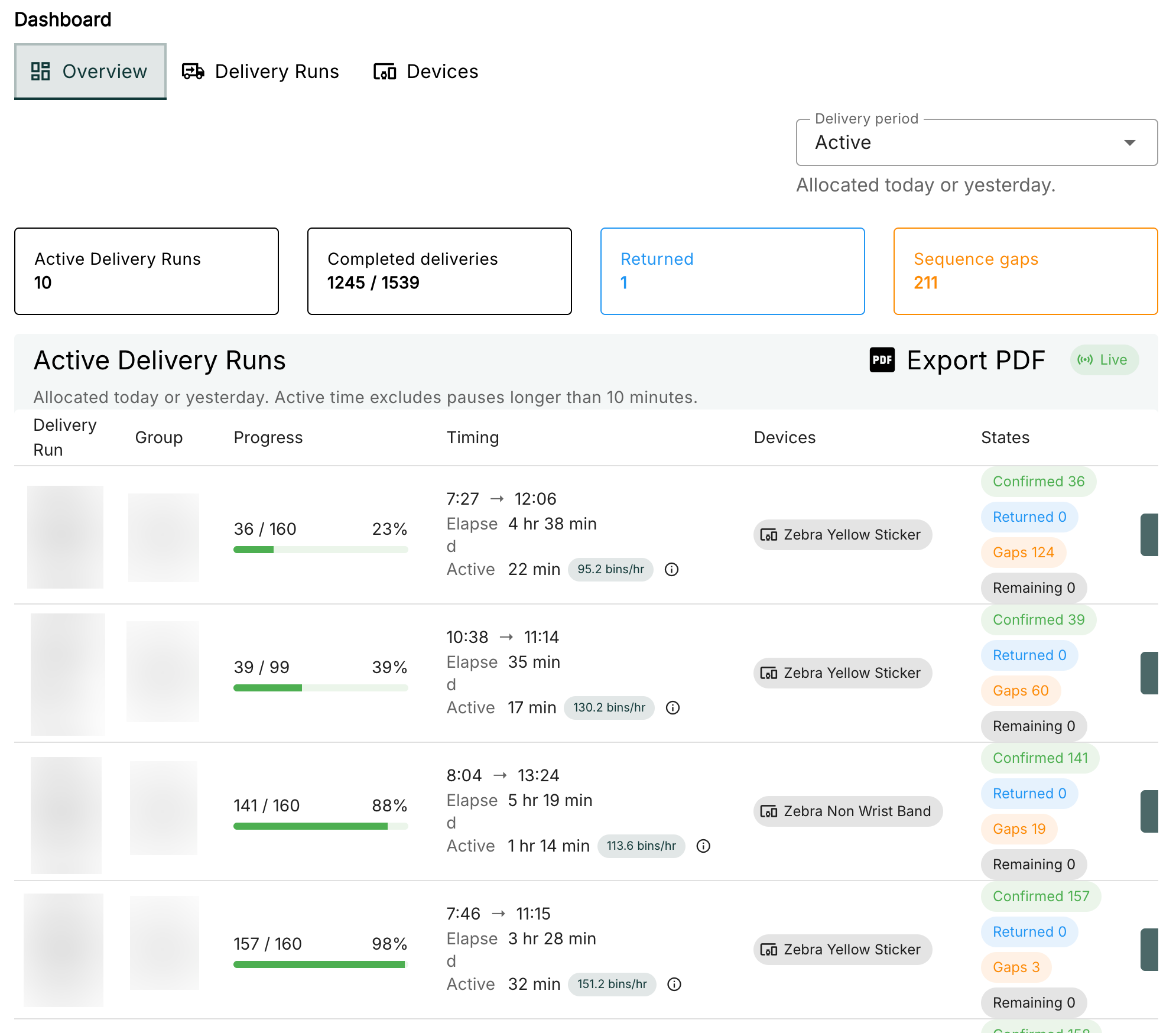
Shows all active Event Group progress, time taken and devices used, as well as the ability to export progress in a PDF. You can also adjust the period of event groups from active to within the last week, month or a custom range of time.
Event Groups
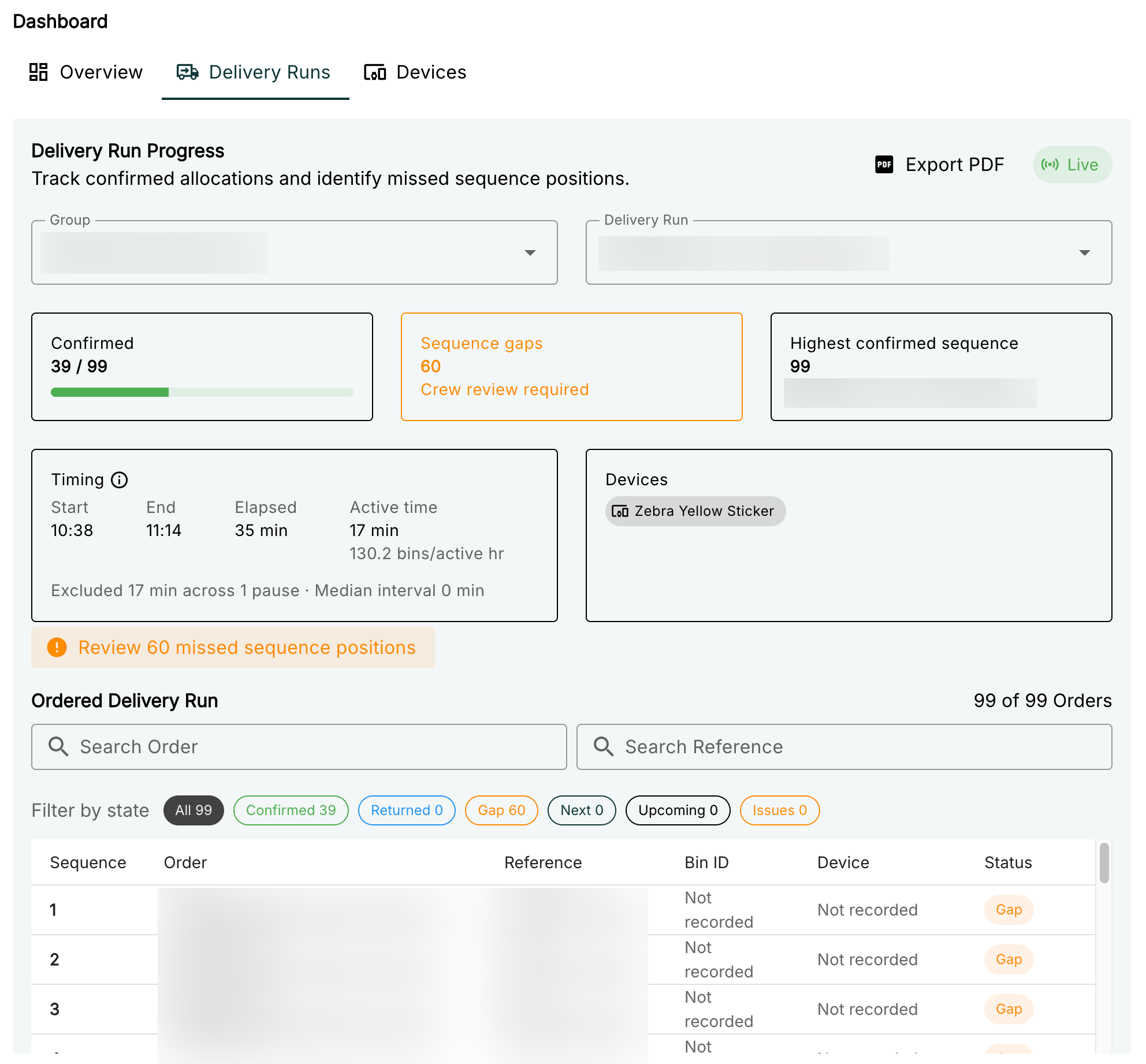
Allows a closer look at a progress of a specific Event Group regardless of active status. Selects one Event Group at a time, and you can also search within the Orders associated with the Event Group for closer checking.
Devices
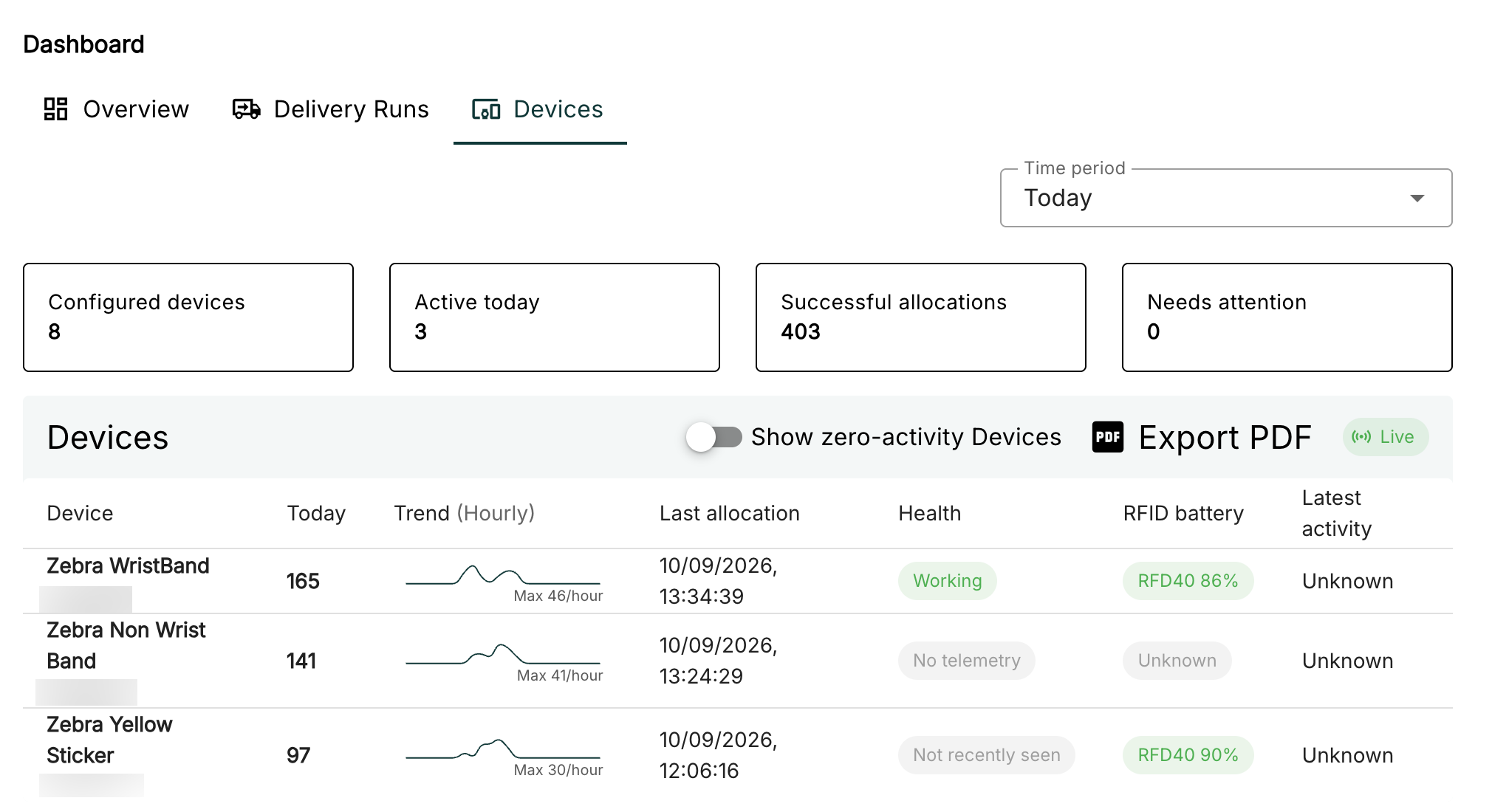
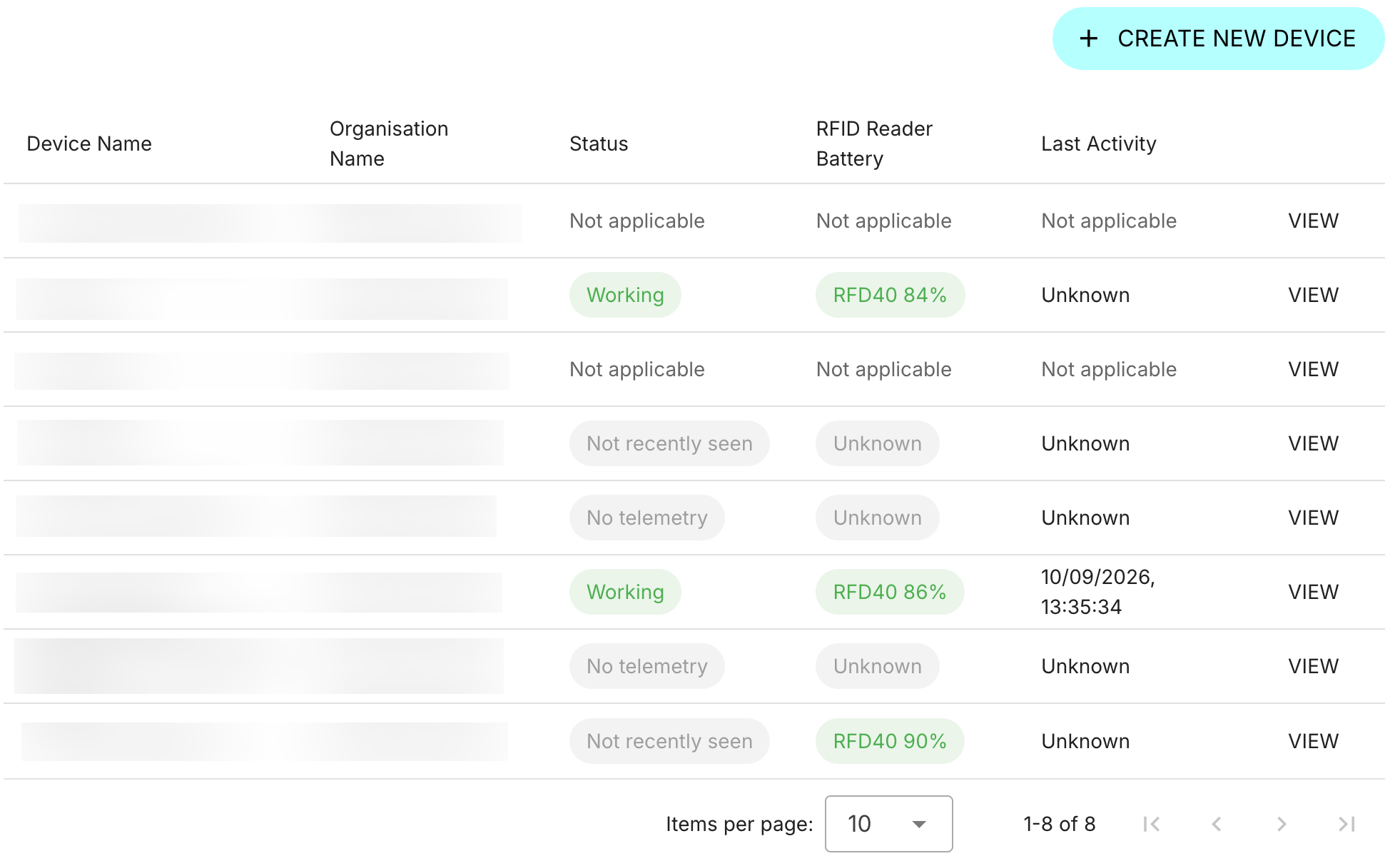
Allows reading the statistics of all currently used Devices. You can observe the battery, scanner connection status and all total allocations made, along with the rate of allocations, over today or a set amount of time.
Settings
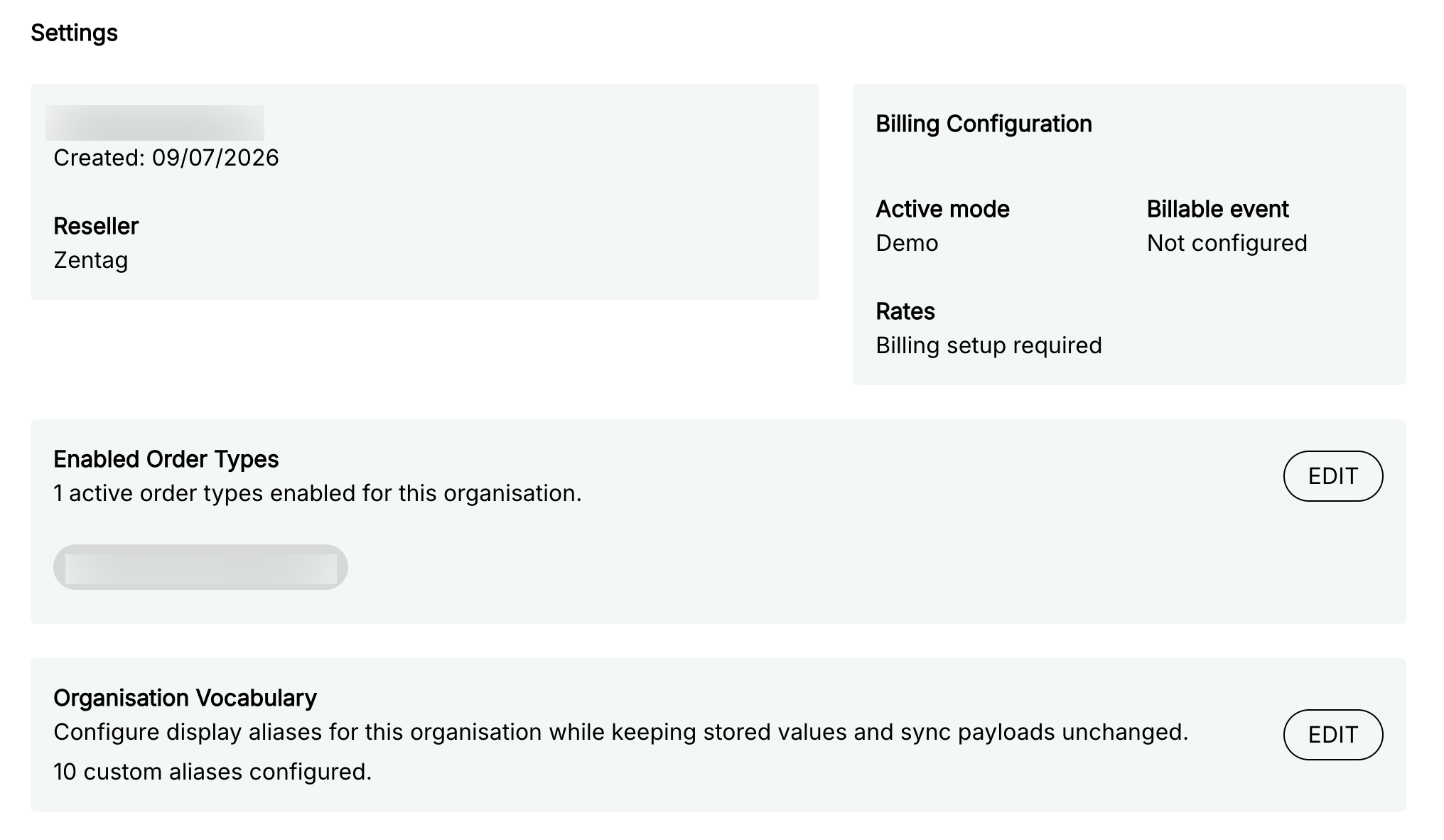
To see and edit the information of the Admin's Organisation.
Billing Setup
Used to configure Billing Schedules for an Organisation.
Each billing schedule, spanning months ongoing from a set starter month until interrrupted by a later billing schedule, has different modes:
- Demo - Used for when Organisation is trying out Ledger. The Billing tab will not show up on an Organisation Admin role.
- Flat per Order - Set a static payment for every order made in Ledger.
- Tiered per Order - When amounts of orders hit a certain threshold, payment rate may change.
Where it is actually billed in an order:
- Fully Returned - Paid when an Order's status hits the 'Returned' state. Do not use when an order ends at sending out.
- First fully allocated - Paid when an Order's Assets are fully allocated.
Enabled Order Types
Used to set up the Order Types this Organisation will use.
Related Walkthroughs:
Organisation Vocabulary
Edit the terminology Ledger (and all its programs, not just Admin) uses to suit your business. You can change almost every term used in Ledger, such as changing Order to Sequence or Request, and Allocated to Assigned, or Asset to Item, Object, Product or the name of an item if the Organisation sells or loans out one type of Asset.
Related Walkthroughs:
Billing
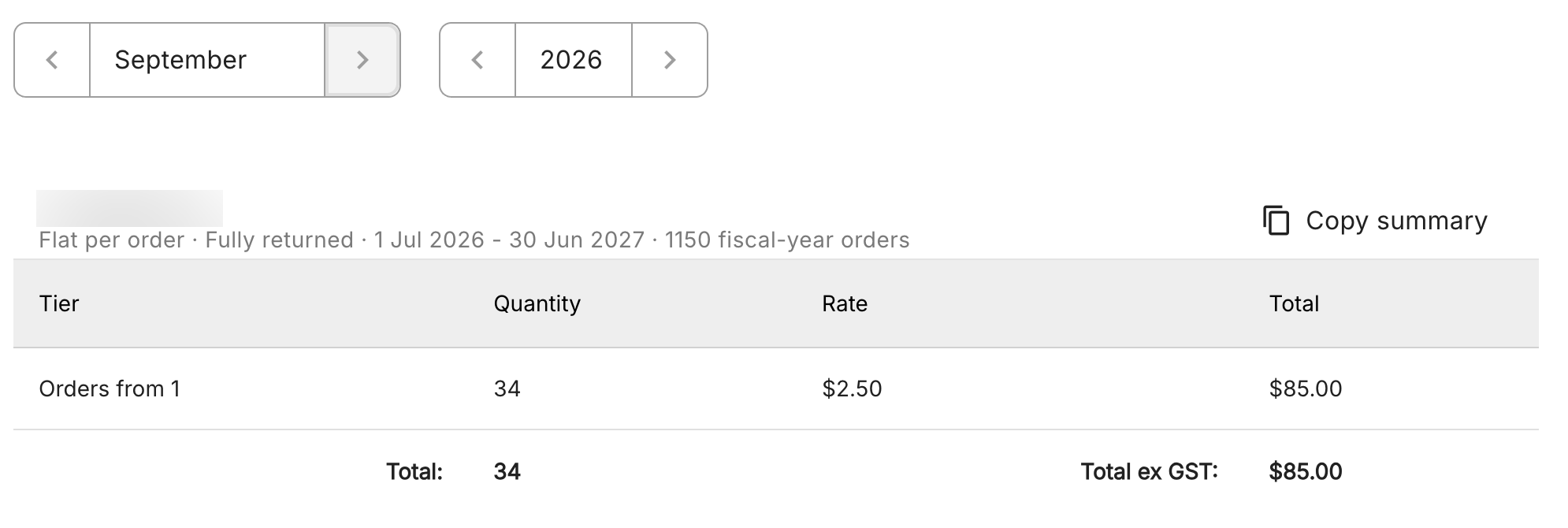
Observing the rate of payment per allocation or return, depending on setup. If this is not present, this may not have been set up, or it has been set to Demo.
Devices
How users will use the RFID devices through Invite Codes for the Desktop App and the Mobile App.
Related Walkthroughs:
Device Model
The user can set a device to one of four different available device types available to all Organisations:
- Desktop Application - Used for the Desktop App program and their compatible scanners.
- SensArray Core UHF RFID Fixed Reader
- TY200 Server
- Zebra Mobile Application - Used for Ledger Mobile with Zebra handheld scanners.
Admin Codes
Admin Codes are used to log into Desktop App or Ledger Mobile, and are one time use.
The user can refresh an Admin Code by typing another code in, or clicking the button next to the field.
Device Statistics
Differs dependent on Device Model used.
Zebra Mobile Application
Statistics for Zebra Mobile show:
- The working status of the scanner
- The scanner's battery
- The model of the reader and status of connection
- The version of the Ledger Mobile application loaded onto the scanner, and when it was last used
- Recovery state; if it has failed connection
All other models have device logs, but this currently only works with Zentag.
Data Explorer and Reports
Displays as Data, and is a dropdown.
Explore Records
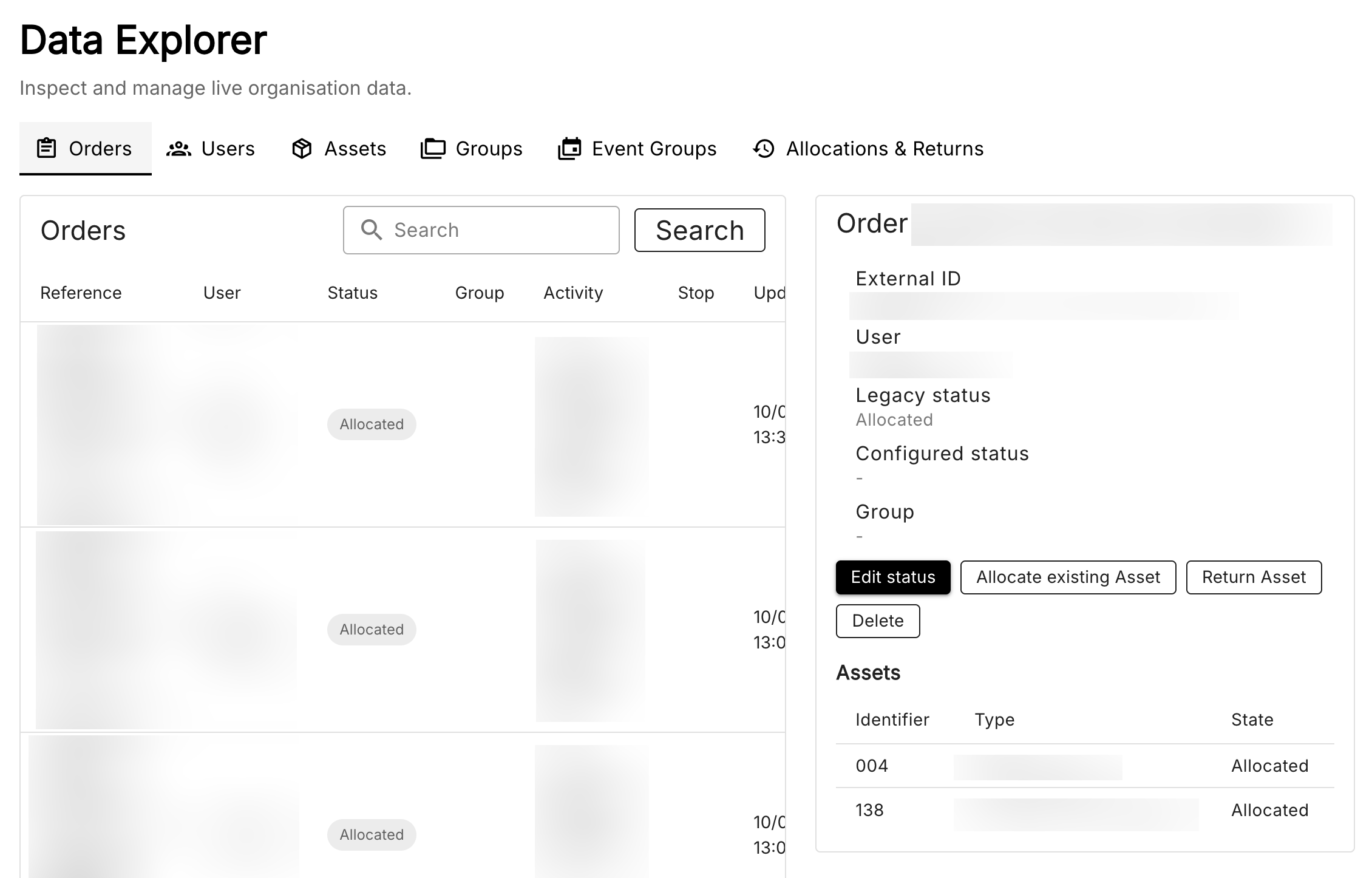
Used to view all of the Orders, Users, Assets, Groups and Event Groups in an Organisation, as well as a log for all the Allocations and Returns made.
Information for what these terms mean can be read in the Glossary.
Reports
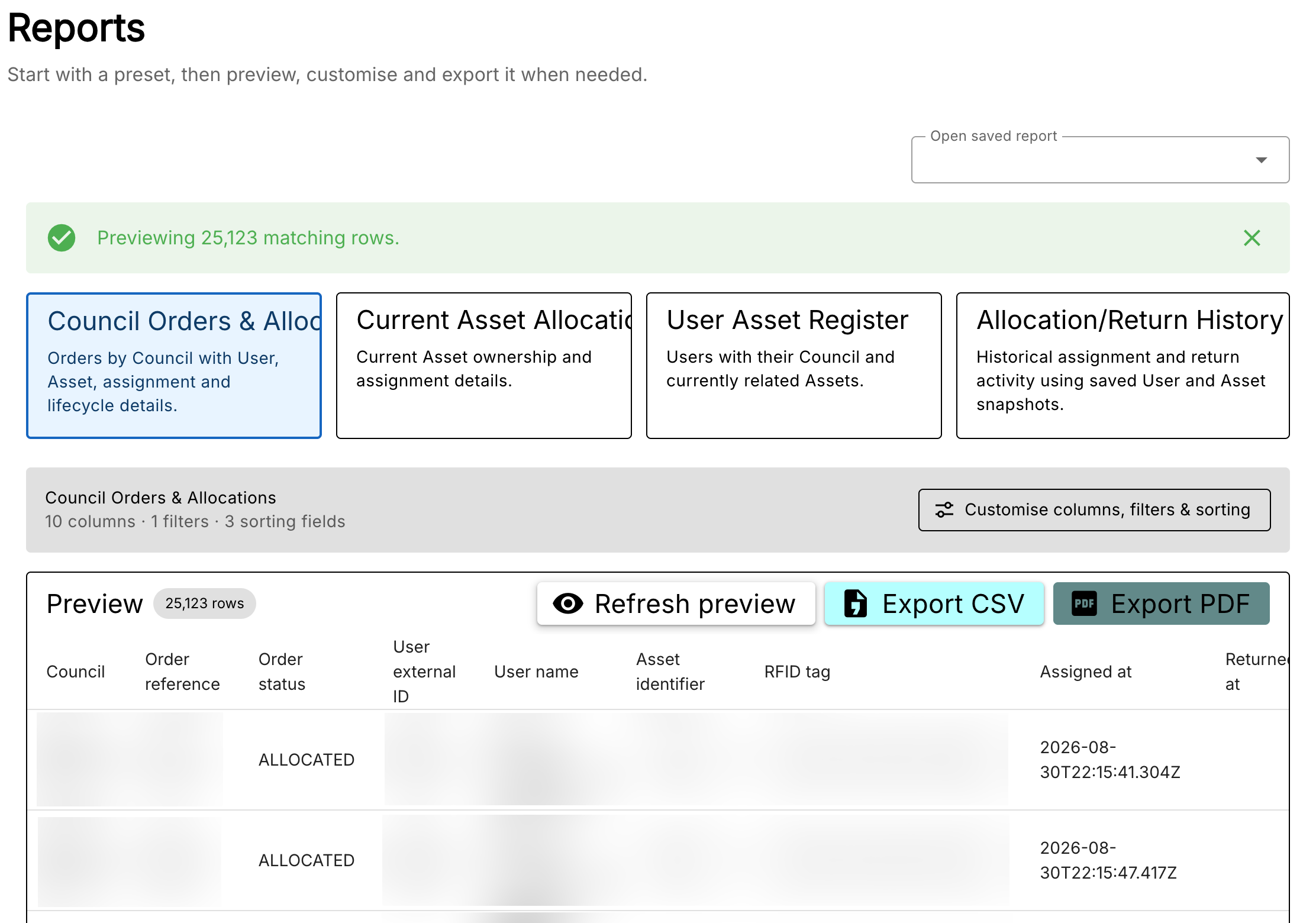
Allows the creation and export of logs using different presets and filters. There is the option to export as CSV or PDF, but the PDF option is limited to under 10,000 instances and requires filters.
Data Operations
Has various functions relating to creating Orders, Users, Assets, etc. dependent on the organisation.
Import
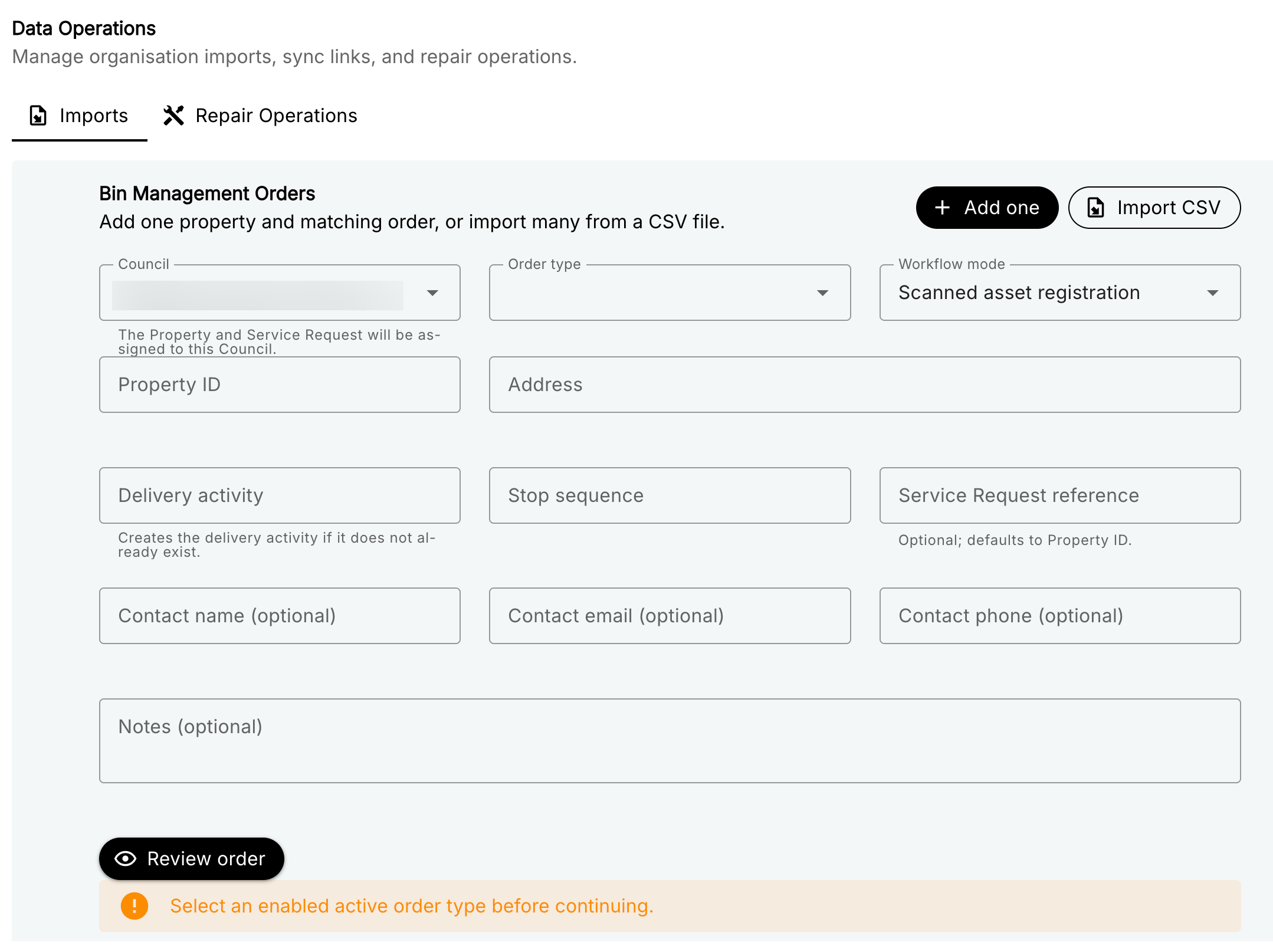
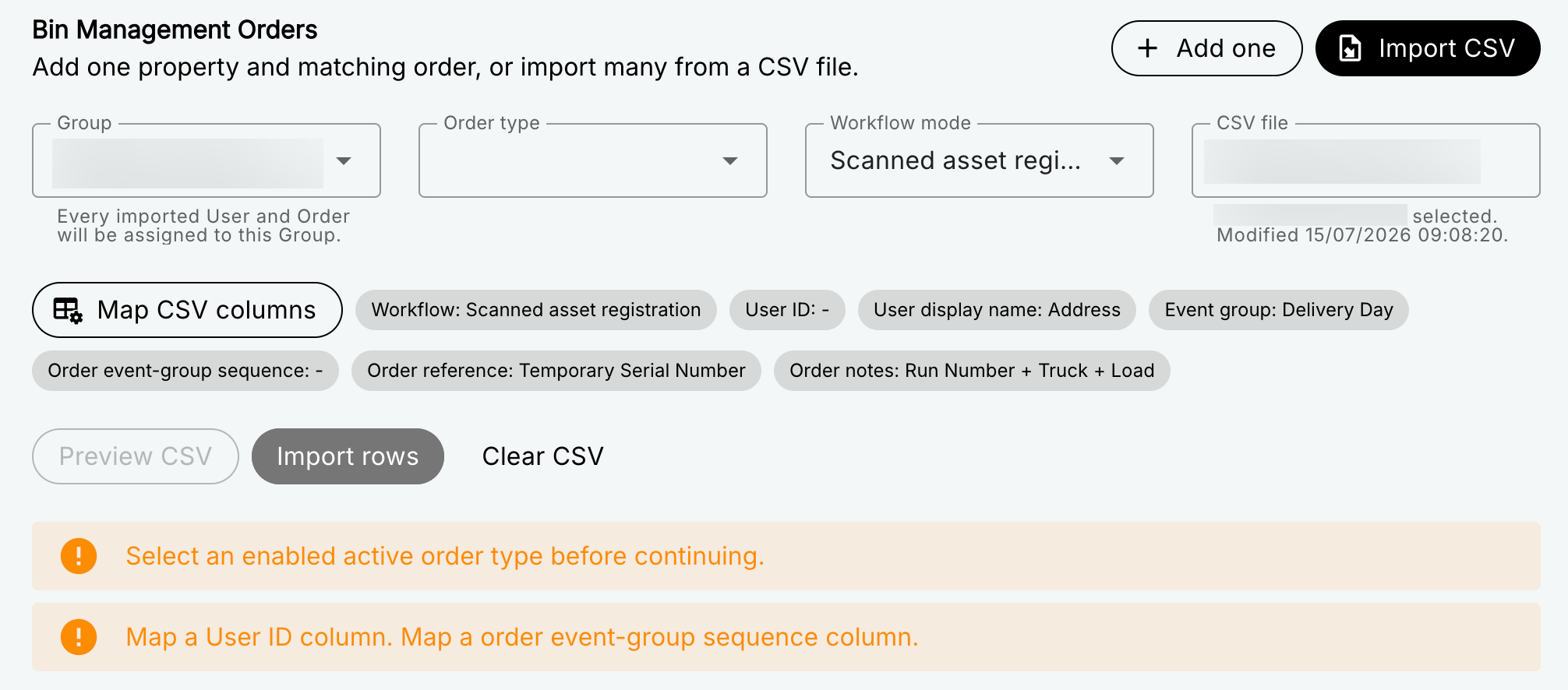
If your organisation has an Order Type set, this will appear. You can either add one order or use .csv files to set up a large amount of Orders and Users quickly, provided mapping is set up properly. (The title is Bin Management Orders due to currently being suited for one client.)
Add One
Import CSV
Import Mapping
Takes from the columns in a CSV. While the site will warn if a column has been used again, if a column has been selected twice for different fields, the CSV can still be imported.
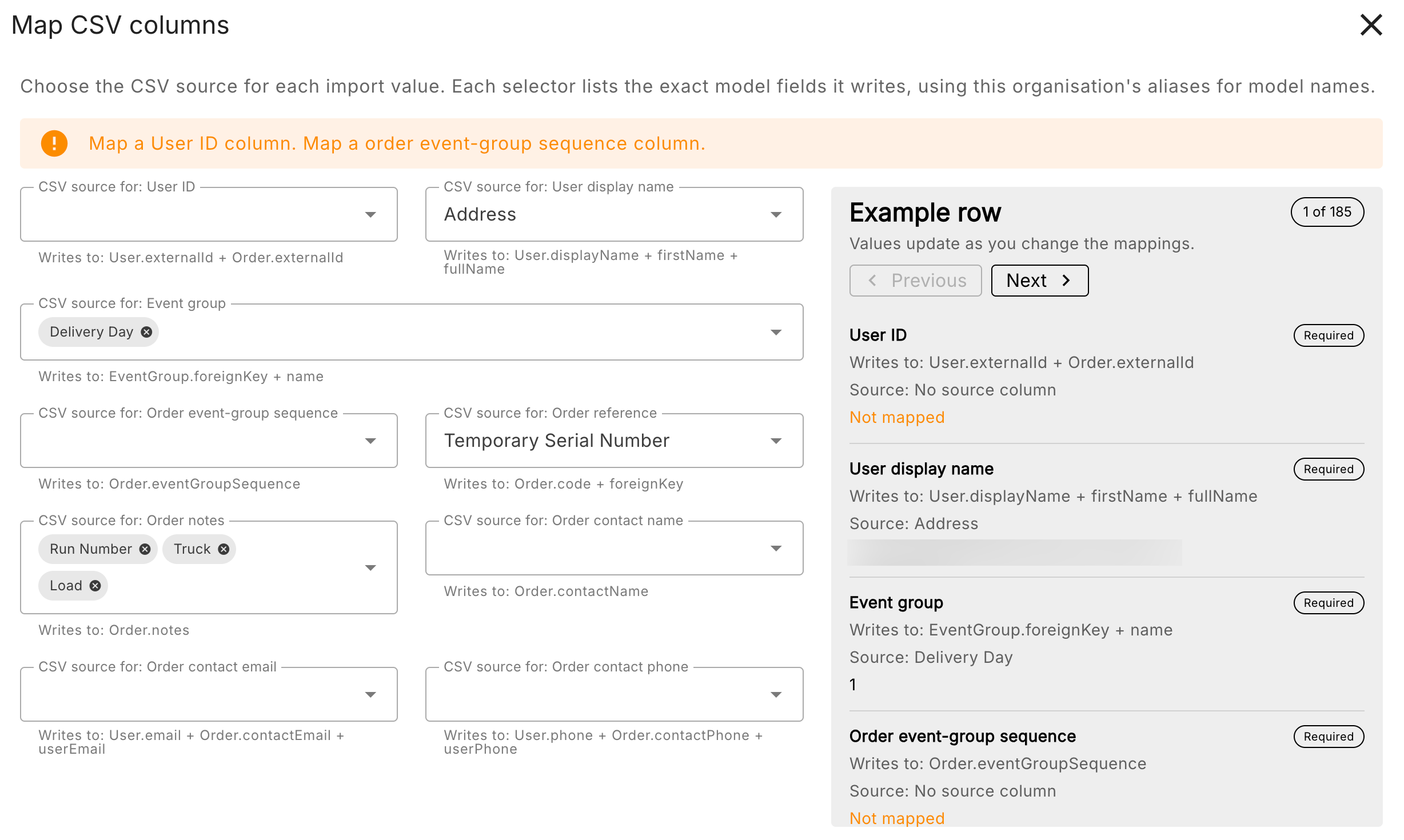
Required Fields
- User ID - Unique ID's for Users created through this method. Also used by Order if Order Reference is not specified.
- User Display Name - Names for each User.
- Event Group - Separates Orders into Event Groups. If multiple columns are selected, Event Group names combine the two values in each column based on selection order.
- Order Event Group Sequence - Used for if the Orders made have to be sequential based on this column.
Optional Fields
- Order Reference - Unique ID's for Orders.
- Order Notes - Additional information.
- Order Contact Name, Email and Phone - Use this if you ever intend on making user profiles or if you need to contact the user in any way: if an order is not properly returned by a user, or you need to inform the user of something happening to the Order.
Example row panel
Shows a preview of the values in the Required fields.
Auto-map Button
Automatically maps columns to fields. This might not be accurate depending on the Organisation.
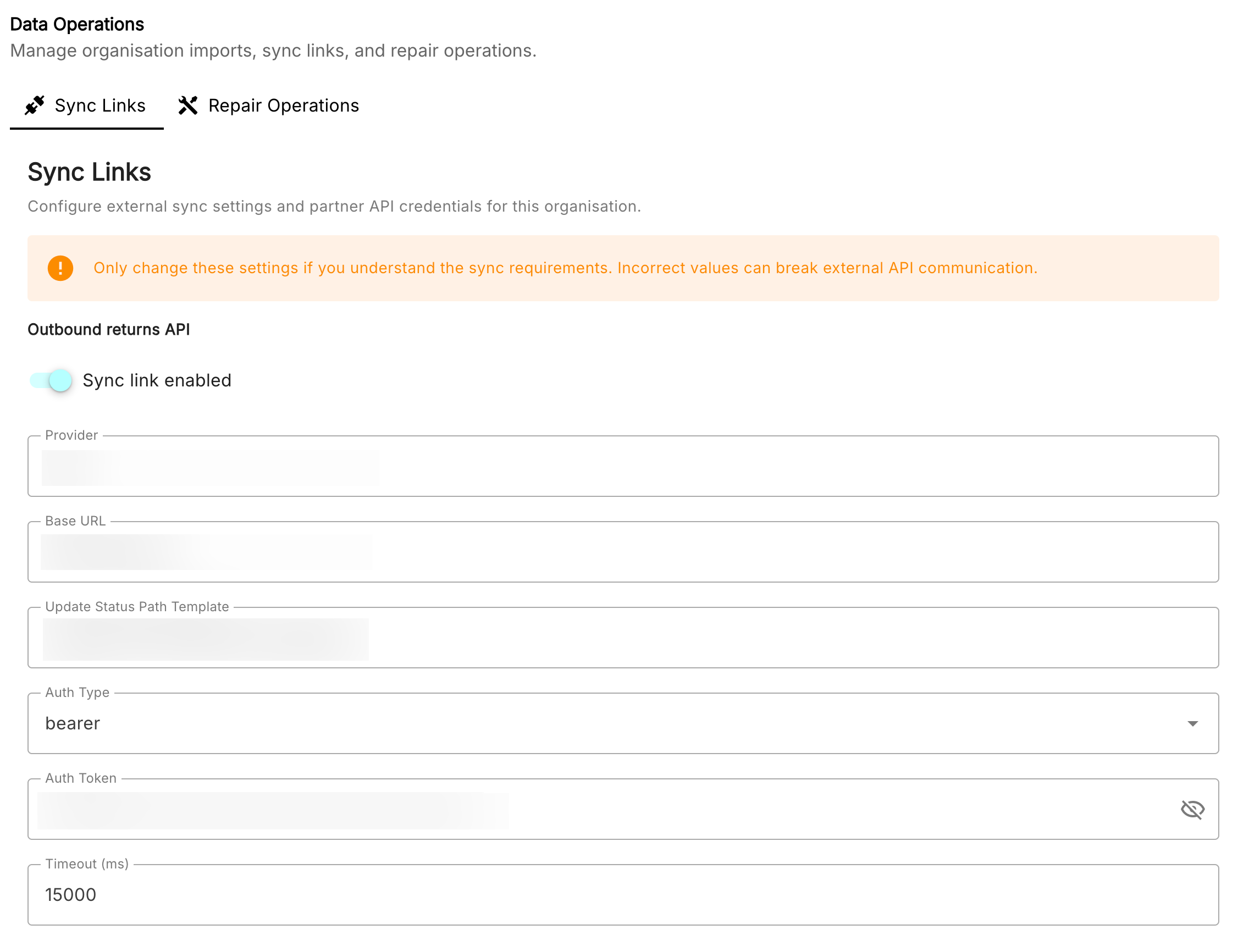
Sync Links
Used to connect external APIs, allowing to make orders in Ledger through separate sites.
Install Software
Used for installing the Ledger Desktop App.
Related Walkthroughs: